
































HDD Low Level Format Tool - low level formatting tool

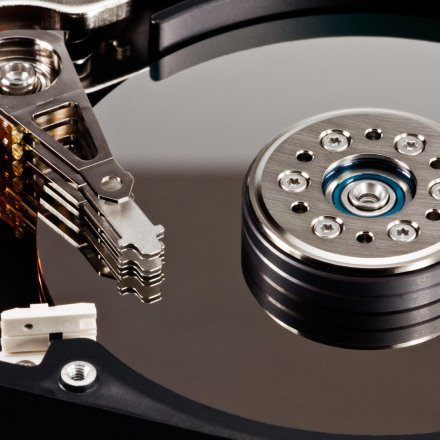
 HDD Low Level Format Tool - a low-level formatting tool - this is a very useful tool that allows you to perform an operation called low-level formatting, that is, low-level formatting of disks, flash drives or memory cards. Low-level formatting is a function that is significantly different from conventional formatting, which can be performed, for example, on a selected partition in the system.


After using the HDD LLF low-level formatting tool, all data on the disk will be permanently deleted, and all partitions and entries in the MBR will be completely deleted. This means that after performing this operation, the user will lose all data on the disk, regardless of the partition. This tool will be useful both for deleting your data before selling a disc, and for repair. Often this operation allows you to restore non-working disks or flash drives that cannot be detected in the system or prevent the storage of any data (write protection error).


Despite the complexity level of the whole operation, low-level formatting with the HDD LLF tool is very simple, and the whole operation is reduced to an absolute minimum. After starting the program, the user must select a disk from the list that he wants to format, then go to the "Low Level Formatting" tab and click the format button. Depending on the size of the disk, this operation may take several minutes or several hours, therefore it is recommended to leave the computer turned on for the night.


Latest version: Windows: 4.40 | Report a new version of the program
Read more
1 0

7 - Zip - free archiver

7- Zip is a free archiver that will do all the work for you. His main function is to compress files. The larger the file size, the better it will compress. The program was first released in 1999. The program is completely free. It is superior in quality to its competitors: WinZip, WinRar, PeaZip, B1 Free Archiver.


Latest version: Windows: 21.07 | Report a new version of the program

Article is edited: 21-01-2022, 05:38
Reason: Updating versions for Windows. Added version for macOS

Read more
0 0

ESET is a software representative designed to detect, isolate, and prevent the spread of malware and computer viruses.

 When the first computer virus was written and distributed at one end of the globe, the first antivirus program appeared on the opposite side of it. Over time, the confrontation between the parties increased, technology developed, and programs improved. The main ones were the value of information security and the stability of information technology.


ESET antivirus software is a well-known representative of the software designed to detect, isolate, and prevent the spread of malware and computer viruses.


ESET antivirus programs are designed to protect PCs, laptops, tablets, smartphones in the office, at home, in enterprises.


By its purpose, the program provides real-time protection against trojans, virus worms, viruses, phishing attacks and a number of other threats.


Latest version: Windows: 15.0.5.0 ESET Smart Security Premium / ESET Internet Security / ESET NOD32 Antivirus | Android: ESET Mobile Security xapk - 7.2.14.0 apk - 6.3.46.0 / ESET Parental Control 4.1.9.0 / ESET Smart TV Security 1.5.1.0 | macOS: 15.0.5.0 ESET Cyber Security Pro / ESET Cyber Security | Report a new version of the program

Article is edited: 2-02-2022, 06:26
Reason: Updated versions for Windows, Android and macOS

Read more
0 0

K7 Ultimate Security - antivirus software

K7 Ultimate Security is an antivirus software. The well-known Indian company K7 Computing was engaged in its development, which, over 20 years of work, has proved to be excellent in the world market. This program can not only fully protect your computer from various viruses and advertising spam, as well as Android and IOS phones.


The antivirus provides user protection when working on the Internet. It will help to avoid identity theft, illegal debit of funds from a bank account, as well as from electronic extortion. Often this happens completely unexpectedly. Therefore, it is important to think about protecting your computer or phone in advance.


Among all K7 Computing software products, K7 Ultimate Security has advanced functionality.


Latest version: Windows: 16.0.0.667 | Android: 3.3.111 | macOS: 16.0.0.657 | iOS: 3.4 | Report a new version of the program

Article is edited: 16-02-2022, 17:24
Reason: Updated versions for Windows

Read more
0 0

WinZip. Squeeze-unclench ....

 Archivers, created by various companies, claiming that they are the best and generally unsurpassed, just do not count. Only most of them somehow do not linger on the surface. And only WinZip somehow defended their positions. He, as if by default, became the main format for archivers. And only improved from year to year.


This creation of Corel confidently conquers all new spaces of its application.


Latest version: Windows: 26.0 | Android: 6.2.1 | macOS: 9.0 | iOS: 7.3 / Pro 6.3.1 | Report a new version of the program

Article is edited: 14-02-2022, 18:56
Reason: IOS version update.

Read more
0 0

IZArc - easy to use archiver

 IZArc is extremely easy to use!


To open the archive, simply double-click (or, if you are working in web-style, click once) on the archive specified in "My Computer" or in Windows Explorer, drag the archive to IZArc or use the standard "Open" dialog box. The main IZArc window contains a list with the names and sizes of all files in the open archive. This list can be scrolled and sorted by any field. A customizable toolbar provides quick access to frequently used actions. Extensive context-sensitive help is always available.


The Windows Drag and Drop interface is fully supported - you can drag and drop files from IZArc to other applications or simply to Windows Explorer to extract them to a specific directory. IZArc will extract the files before placing them in the target application. The destination application will process the files as if they were deleted from My Computer or from Windows Explorer. You can also delete archives in IZArc to open them, or delete files in IZArc to add them to an open or new archive.


Latest version: Windows: 4.5 | iOS: 1.4 | Report a new version of the program

Article is edited: 16-02-2022, 08:37
Reason: Windows version update.

Read more
0 0

UltraISO - program for working with disk images

 This program for creating CD / DVD images and working with them is one of the best of its kind, since it provides the user with a wide range of actions with media images, such as creating, editing, converting CD / DVD images. In addition, it works with more than 30 different formats, such as .ISO, .BIN, etc. In addition, it has a simple and easy-to-use interface. UltraISO with all this makes emulation and recording of discs possible, which is very often required by many users. The program is not free and costs $ 30, but there is also a demo in which you can interact with images with a capacity of less than 300 MB.


Latest version: Windows: 9.7.6.3829 | Report a new version of the program

Article is edited: 18-10-2021, 00:23
Reason: Update version for Windows.

Read more
0 0

PeaZip is a free, portable and cross-platform archiver

 PeaZip - is a free cross-platform portable program that performs the functions of an archiver, and serves as a graphical shell for other archivers. Available under the GNU GLP license.


PeaZip was compiled in Lazaruse and written in Free Paskal. At the same time, this program is distributed only on Windows and Linux, and at the same time as the installation packages (exe files), and in versions that do not change the operating system, such versions are called portable.


This archiver also supports its own .pea file format, as well as other file formats, for which it in most cases uses external programs and libraries.


The project is available on SourceForge.net from where, as of 2017, it has already been downloaded six million times, at that time the program had existed for 11 years, while the number of downloads is constantly increasing.


Latest version: Windows: 8.4.0 | Report a new version of the program

Article is edited: 1-02-2022, 15:08
Reason: Updating all versions for Windows.

Read more
0 0

Ashampoo Zip - an application for compressing and decompressing files on Windows

Ashampoo ZIP Free is a simplified and free version of the application designed to compress and decompress files on Windows, supporting more than 30 of the most popular archive formats (ZIP, 7-ZIP, CAB, TAR, RAR, ZIPX, ARJ, ARC, ACE, MSI, DMG and many others).


In addition to the main functions of archives (creating and extracting content), the program is equipped with tools that allow you to create self-extracting SFX archives (.exe), restore damaged ZIP files, and also use multi-volume recording (breaking archives into smaller parts). Ashampoo ZIP Free integrates with the system shell, and the graphical interface used belongs to the modern user interface and can conveniently work on touch devices. It is multiplatform that makes this program one of the most popular among archivers, because the ease of use and intuitive interface are suitable for most users of any age category.


For more demanding users, the manufacturer provides a commercial version of Ashampoo ZIP Pro. In addition to the functions of free editing, this program also offers the ability to encrypt data, create virtual disks, convert archives, etc. Advanced functionality combined with open source allows professional users to fully use the functions and capabilities provided by this tool.


Latest version: Windows: PRO 3.5.15 / FREE - 1.8.8.11 | Report a new version of the program

Article is edited: 9-07-2021, 02:38
Reason: Update version for Windows.

Read more
0 0

WiNToBootic - a program for creating bootable packages of the operating system on removable media

 WiNToBootic is a utility program from the Boot managers category, the main purpose of which is to create bootable operating system packages on removable storage media.


In situations where there is a need: if there are problems with the work, the PC will boot from the source CD, flash drive; installing or reinstalling the system, start working with a CD / DVD or Flash source; Create archive boot images of a stable system.


It should be noted right away that the utility is intended for operating systems Windows 7, 8, Vista. It is distributed free. The size of the executable file of the program is not much more than 1.0 MB. Works with the most used disk images.


Latest version: Windows: 2.2.1 | Report a new version of the program
Read more
0 0